Refund a Payment on an Invoice
Return a card payment to your customer in full or in part, and watch the invoice status follow.
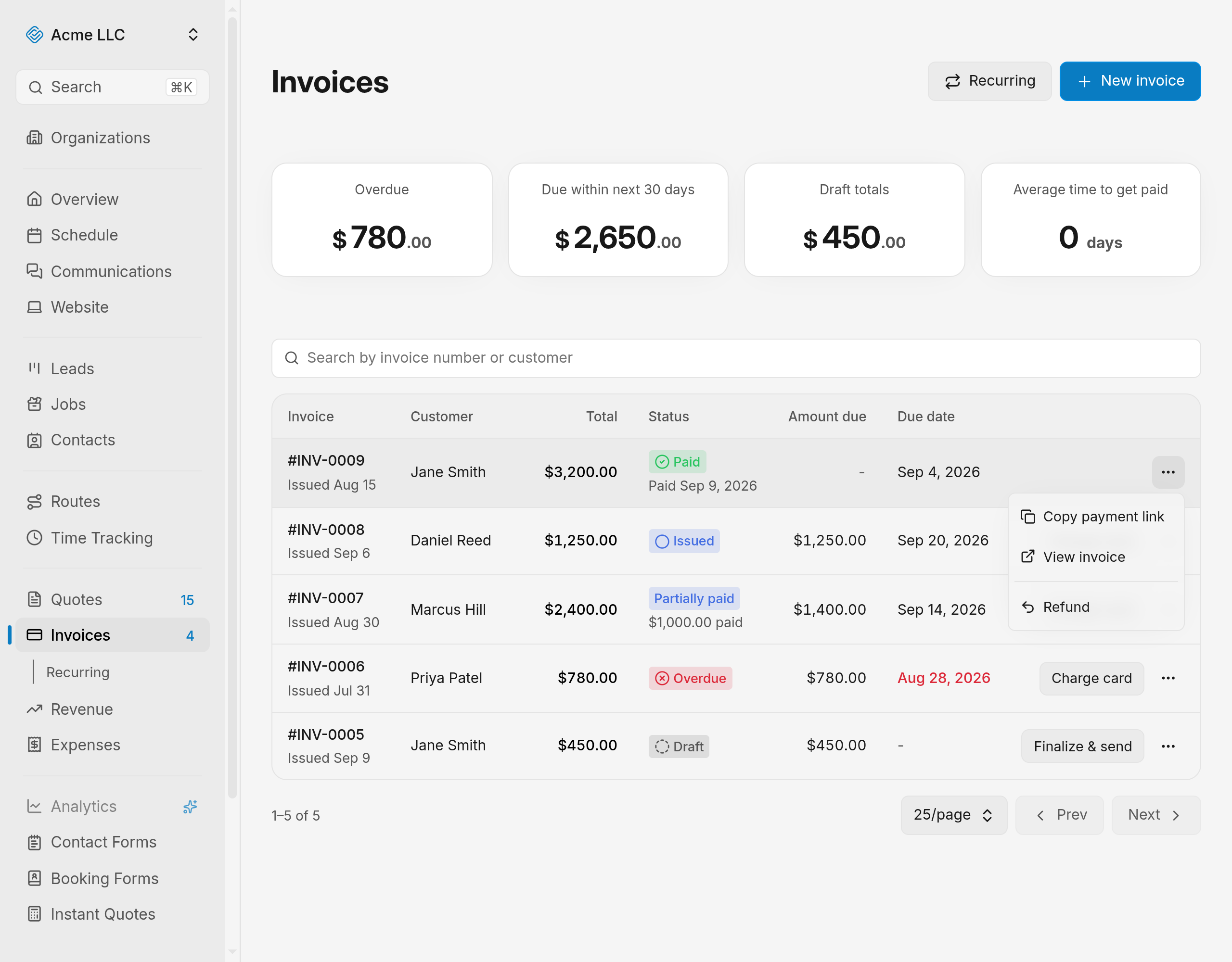
Send money back to a customer who already paid an invoice by card. The refund starts from the Invoices list or from the invoice's own page, and it returns to the card that paid.
Refund a payment in full
The refundable amount is everything collected on the invoice minus anything already refunded.
- Open Invoices.
- Open the paid invoice's Invoice actions menu.
- Select Refund.
- From the invoice itself: open the invoice, open its Invoice actions menu, and select Refund.
- Leave the amount field as it is. It starts filled with the full refundable amount.
- Click Issue refund.
The status changes to Refunded.
Warning
Confirming returns the money to the customer's card right away.
Refund part of a payment
Return less than the full amount and leave the rest collected.
- Open the Invoice actions menu and select Refund.
- Type the amount to return, such as 45.00.
- Click Issue refund.
The status changes to Partially paid. Each refund lowers the refundable amount, so repeat this until nothing is left to refund and the invoice reads Refunded.
Note
The amount has to be above zero and no larger than the refundable amount.
Where the Refund action appears
- In the invoices list: on an invoice with the status Paid that still has a refundable amount, for a member with Full access to invoices. Searching for that invoice is covered in manage invoices.
- On the invoice's own page: whenever a refundable amount remains, for a member who can edit
invoices.
- Issuing the refund needs Full access to invoices, so with edit access alone the refund does not go through.
What a refund cannot do
- Only a card charge taken through Stripe can be refunded. An invoice settled with a manually recorded payment has no card charge behind it, so return that money the way it reached you.
- The refund goes against the most recent successful card payment on the invoice.
- A connected Stripe account is required, the same one used to collect a payment.
- Refunding does not reopen the invoice for editing. An invoice that has taken a payment or a refund stays read-only.
- Sales tax charged on the payment is reversed along with the refund.
- Voiding is blocked while a payment on the invoice is unrefunded, so refund first.
Related Guides
- Set Up a Recurring Invoice Bill a customer on a repeating schedule, emailed or charged to a saved card.
- Void or Delete an Invoice Cancel an invoice the customer already has, or remove a draft that never left your account.
- Create an Invoice Add a customer, dates and line items, then save the invoice as a draft to send later.
Still Need Help?
If an article did not cover it, send us a message and a real person will get back to you.